Announcements

Follow new updates and improvements to Alternative Payments.

Monthly Release Update: More Control Over Syncs and Custom Payment Method Names

This month’s updates are all about giving you greater control, clearer visibility, and stronger alignment with your internal workflows.

From customizable sync preferences to better control over payment method names, here’s what’s new and how it helps you serve your customers more effectively.


🏷️ Custom Names for Payment Methods
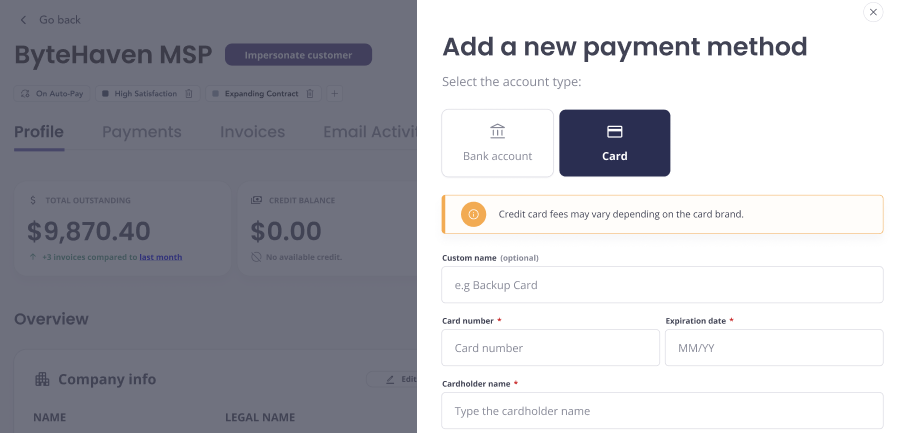
Make it personal, and clear. You can now assign custom names to any payment method, either during setup or after it’s added.

✨ What’s New?

  • Add a custom label to any saved payment method

  • Optionally, add labels to organize and display key details across the platform.

💡 Why It’s Helpful?

✅ Easily identify multiple payment methods at a glance
✅ Reduce confusion for customers during checkout
✅ Make internal billing workflows simpler


🧾 Tax Line Item Sync Control
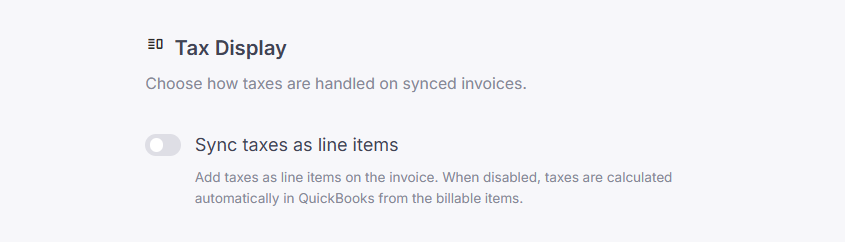
Control how taxes appear in your QuickBooks invoices. You now have a setting to choose whether taxes sync as separate line items or as part of the total.

✨ What’s New?

  • New setting under Sync Tool preferences

  • Sync taxes as line items or keep them bundled

💡 Why It’s Helpful?

✅ Align invoice details with your accounting practices
✅ Prevent confusion or mismatch in QuickBooks
✅ One-click configuration in your sync settings

Check your Sync Settings to configure your preferred tax treatment today.


⏱️ Time Entry Sync Settings
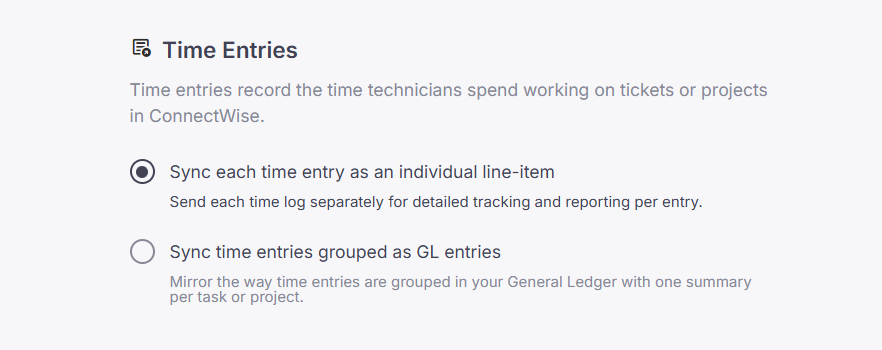
When syncing invoices from ConnectWise to QuickBooks, you can now choose how time entries are represented, summarized or detailed.

✨ What’s New?

  • Two new sync options for time entries:

    • Sync time entries grouped as GL entries: One summary per task or project

    • Sync each time entry as an individual line-item: Track and report each time log separately

  • Use descriptions and tooltips to clearly guide users and help them take the right action.

  • The default behavior is to sync each time entry as an individual line item.

💡 Why It’s Helpful?

✅ Align invoice details with your general ledger practices
✅ Choose greater transparency or enhanced simplicity to best fit your accounting goals.
✅ Avoid clutter in QuickBooks while retaining data flexibility

Update your preference in the Sync Tool settings today and make invoice syncing work your way.


🔁 Sub-Account Sync Support (CW & QBO)

More accurate syncs, now with sub-account support. We’ve extended our logic to handle items under sub-accounts across ConnectWise and QuickBooks Online.

✨ What’s New?

  • Detects and syncs items nested within sub-accounts

  • Ensures consistency between CW and QBO chart of accounts

  • Works with existing invoice and item syncs

💡 Why It’s Helpful?

✅ Avoid missing or misclassified transactions
✅ Better data consistency across systems
✅ Support for more complex accounting structures

No setup required, sub-account support is already active in your sync engine.


Need help?
Check the Help Center or contact our support team anytime.

🚀 New Feature

Monthly Release Update: Canadian launch, Webhooks and Targeted Notifications

We’ve got some exciting updates this month that help you improve workflow automation, serve customers better, and expand your reach. Let’s jump in:


📡 Alternative Payments API: Webhooks

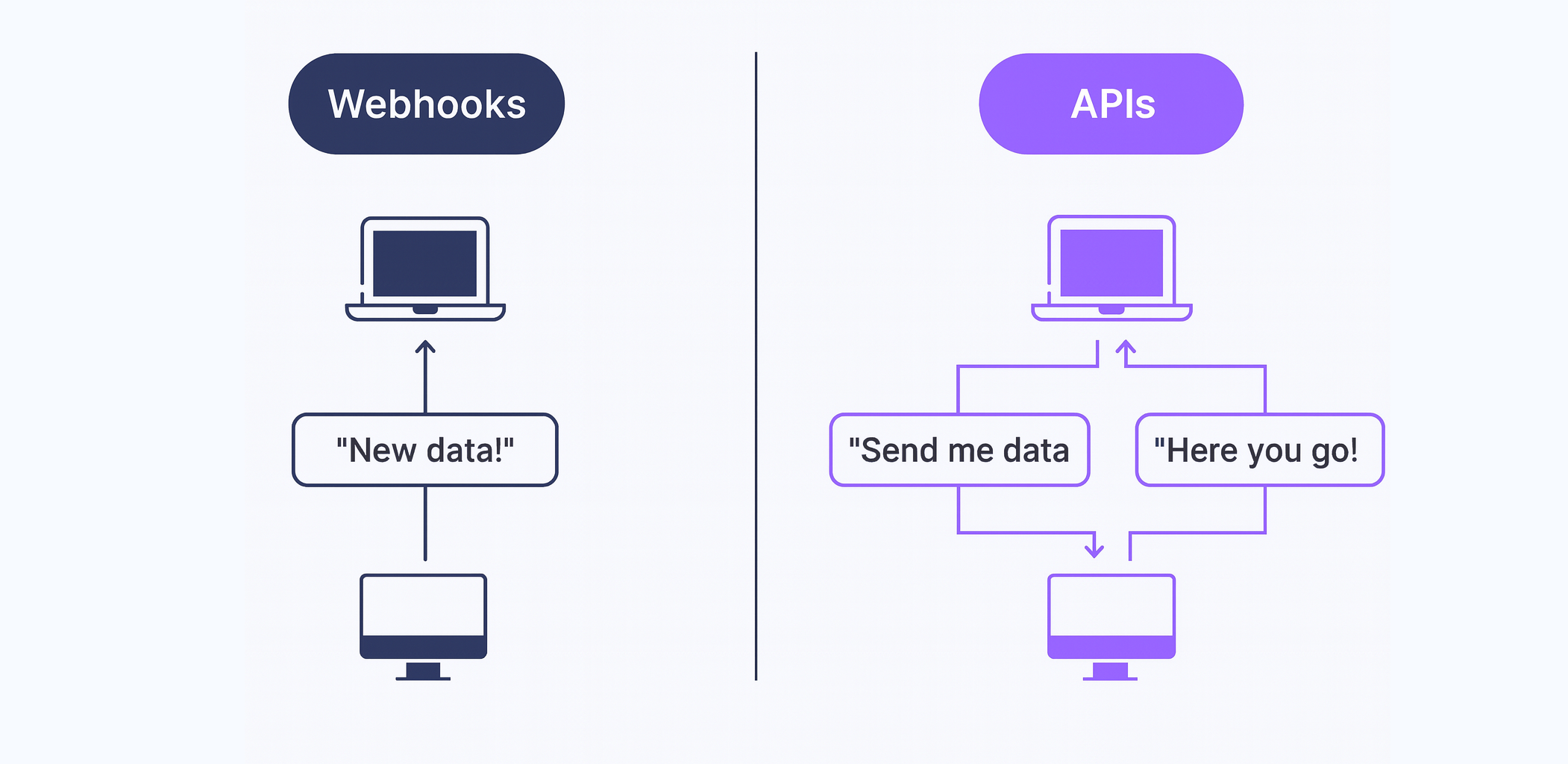
Automate more, react faster, and stay informed. Our webhooks framework is now live, giving you real-time notifications for key billing and payment events, so you can power smarter automations and tighter workflows.

✨ What’s New?

Event-driven notifications
Get notified on events like successful payments, failed payouts, chargebacks, and more, directly from the API.

Webhook management via API
Easily manage your subscriptions with new endpoints:

  • Create, view, delete, and retry webhook events directly from your app.

  • Supports use cases like customer onboarding, payment retries, and payout monitoring.

🔍 Explore the full API reference: View webhooks docs

💡 Why It’s Helpful?
✅ Trigger automations from real-time payment events
✅ Monitor and retry failed events with ease
✅ Simplify reconciliation and customer workflows


📋 Help shape our new Accounts Payable product

We’re working on a new Accounts Payable product to simplify how MSPs and Business Services companies handle vendor invoices, approvals, and payments. Before we finalize what to build first, we’d love your feedback. Your experience will help us:

  • Understand where Accounts Payable creates the most friction today

  • Prioritize the features that matter most (intake, payments, compliance, forecasting)

  • Build a solution that complements your existing Accounts Receivable workflows

The survey takes 5–7 minutes and there are no right or wrong answers, just your honest perspective.

👉 Take the survey here

Thank you for helping us shape what’s next. We’ll share the results and our priorities with you.


📣Audience Selection for Email Notifications

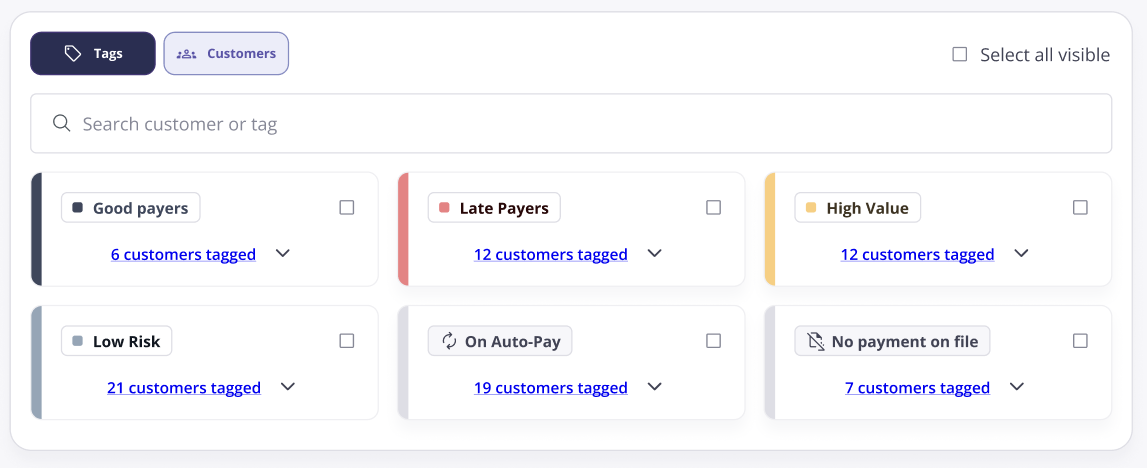
Send the right message to the right customer. You can now control who receives payment reminders and summaries using tags or individual customer selections.

✨ What’s New?

  • Filter your email notifications by tags or specific customers

  • Ensure summaries and reminders go only to relevant recipients

💡 Why It’s Helpful?
✅ Tailored communication for different customer segments
✅ Avoids inbox overload for your clients
✅ Helps deliver a more professional, targeted experience


🍁 We Are Now Live in Canada!

We’re thrilled to announce our official launch in Canada. A dedicated team from coast to coast is now supporting Canadian MSPs with local support and native CAD payment processing to help Canadian MSPs scale faster.

💡 Why It’s Helpful?
✅ Accelerate cash flow with localized Accounts Receivable tools
✅ Partner with a team that understands Canadian MSPs
✅ Same great experience, now closer to home

🔗 Read the full announcement


If you need assistance, our team is here to help. Visit the Help Center or contact our team anytime

🚀 New Feature

Monthly Release Update: API, Quoter Integration, Timezone configuration & More

This month, Alternative Payments is rolling out new ways to make your workflows smoother and payments faster. From API integrations to timezone settings and accounting sync improvements, every update is designed to give you more control and flexibility.


👩‍💻Alternative Payments API

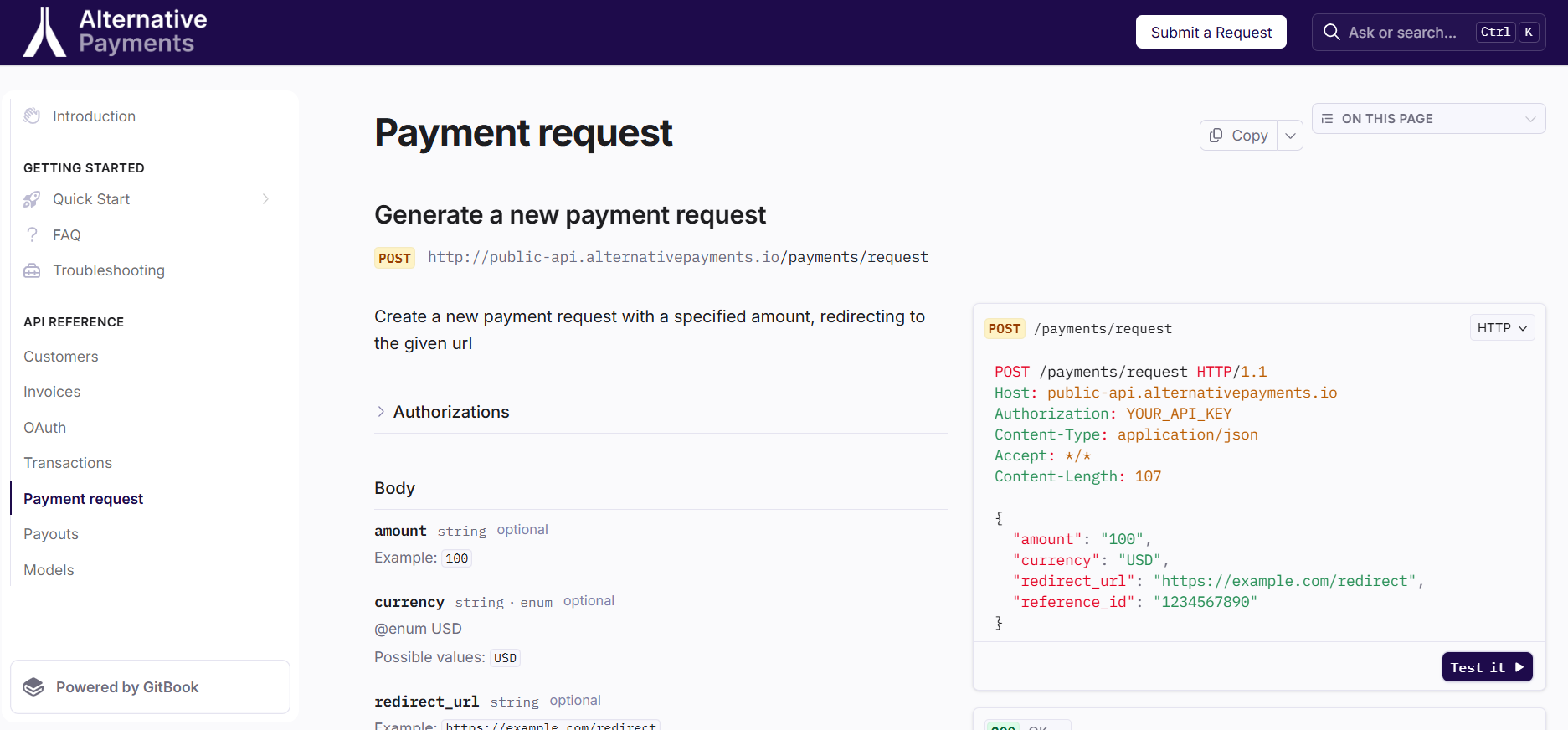
You can now connect Alternative Payments directly into the tools and workflows you already use, no waiting on manual processes. The Alternative Payments API lets you or your technology partners build a seamless payment experience for your customers.

🔍 Access full documentation here: docs.alternativepayments.io

✨ What’s New?

  • REST API endpoints for creating payment requests, managing invoices, transactions, payouts, customers, and more capabilities coming soon.

  • API keys and permissions for secure integration

  • Endpoints for real-time payment status updates

💡 Why It’s Helpful?
✅ Build custom payment experiences for your customers
✅ Automate workflows without manual intervention
✅ Gain flexibility to integrate Alternative Payments into your existing stack


📑 Quoter Integration: Faster Payments, Less Friction

Quoter now uses our API so your customers can pay for quotes instantly through a secure hosted checkout. Once you set it up on the Quoter platform, your customers can pay with a single click, redirected to a streamlined payment page with no extra steps required.

👉 Follow the step-by-step setup guide to add Alternative Payments as a payment gateway in your Quoter account.

✨ What’s New?

  • Hosted checkout automatically included in Quoter-generated quotes

  • Seamless handoff from quote to payment in seconds

  • Secure checkout experience your customers can trust

💡 Why It’s Helpful?
✅ Convert quotes to cash faster than ever
✅ Eliminate the delay between sending a quote and receiving payment
✅ Deliver a simple, consistent payment experience every time


🕒 Timezone Configuration

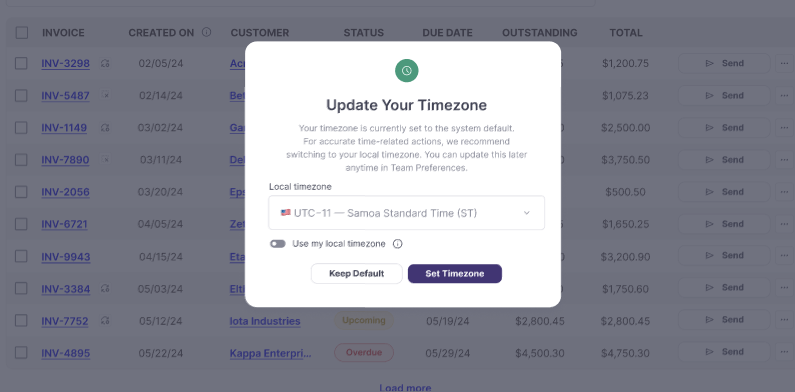
You can now choose the timezone for your Alternative Payments dashboard, ensuring that all timestamps and reporting align with your local time. When an admin logs in, a timezone selection prompt will appear, allowing them to set it right away.

✨ What’s New?

  • Account-wide timezone settings

  • Unified timestamps across invoices, transactions, payouts, reports, and schedules

  • Consistent timing in email notifications and reminders

  • Changes apply instantly, no downtime or reconfiguration

💡 Why It’s Helpful?
✅ Accurate reporting without time conversions
✅ Consistent data for you and your customers
✅ Simplifies reconciliation and audit processes


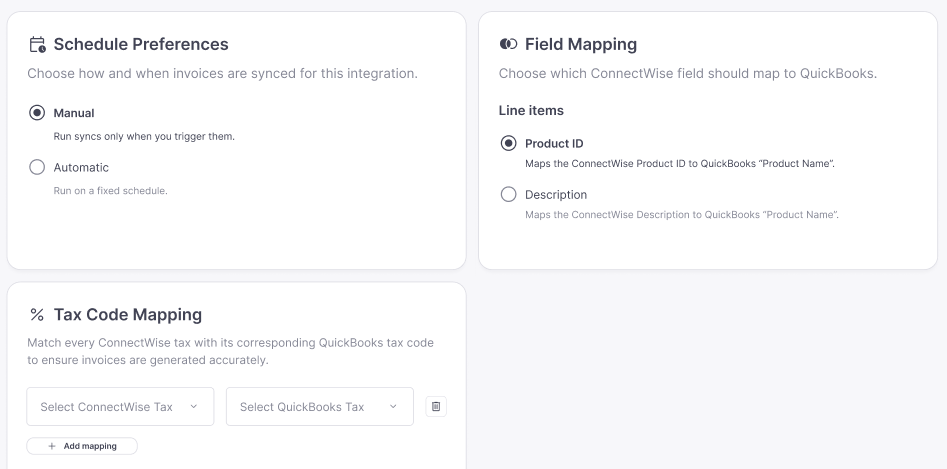
🔄 Settings for ConnectWise → QuickBooks Sync Tool

More control over how your data syncs between ConnectWise and QuickBooks.

✨ What’s New?

  • Choose sync frequency (daily, hourly)

  • Switch between automatic or manual sync

  • Configure line item mapping and tax mapping to match your accounting needs

💡 Why It’s Helpful?
✅ Aligns perfectly with your accounting workflows
✅ Prevents data mismatches and sync errors
✅ Saves time with precise, automated mapping


If you need assistance, our team is here to help. Visit the Help Center or contact our team anytime

Earlier updates